Get full control of your money
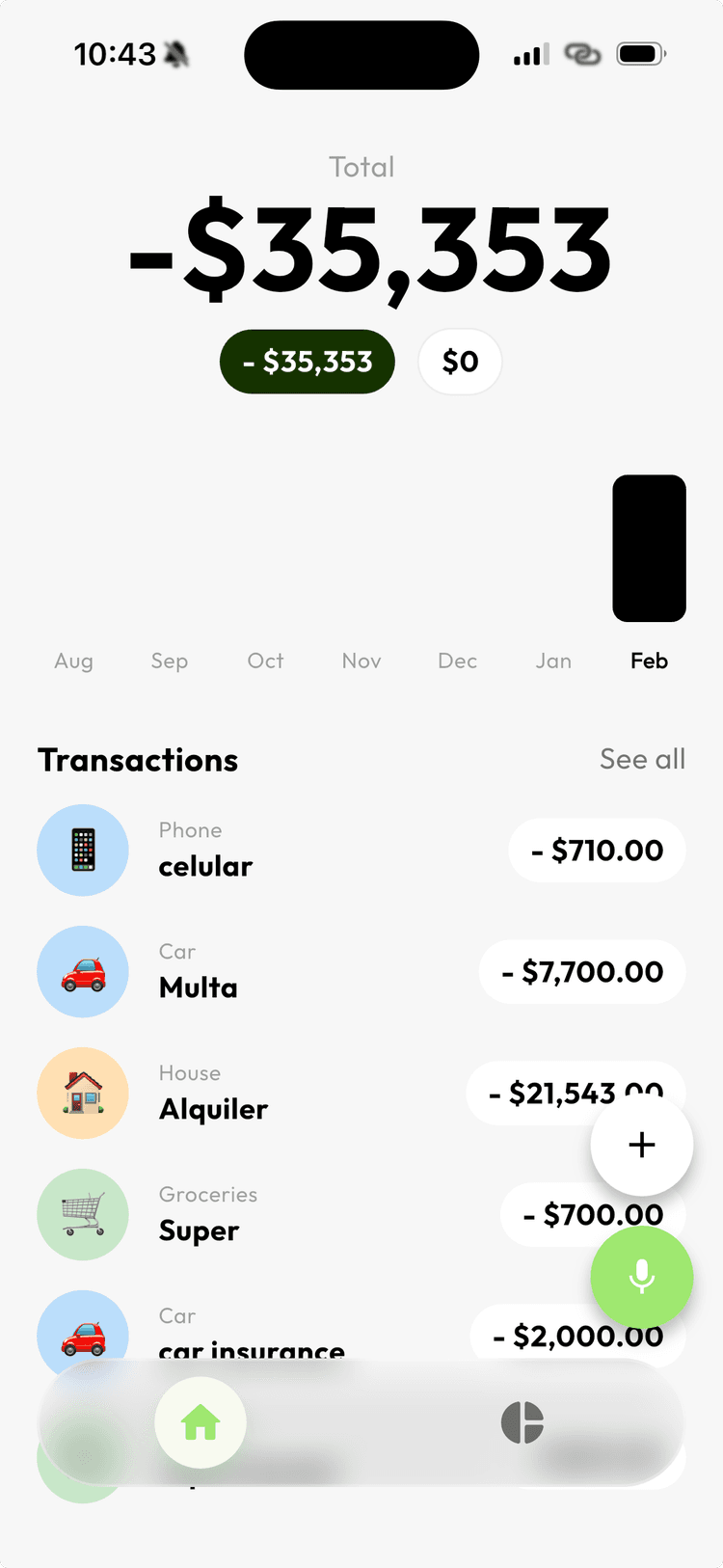
Track expenses by just speaking. AI categorizes everything and helps you understand where your money goes.
Everything you need, nothing you don't
Kimmy keeps things straightforward. Track what you spend, understand your habits, and find ways to save.
Voice-First Entry
Say what you spent and Kimmy writes it down. Real-time transcription turns your voice into categorized expenses instantly.
AI Chat for Your Finances
Ask Kimmy where your money goes. Get clear answers about spending patterns, suggestions to save, and insights you can act on.
Automatic Categories
Every expense is sorted the moment you add it. Groceries, rent, transport — AI handles the organizing so you don’t have to.
Simple & Fast
No spreadsheets, no manual entry. Open the app, speak or type, and you’re done. Tracking expenses takes seconds.
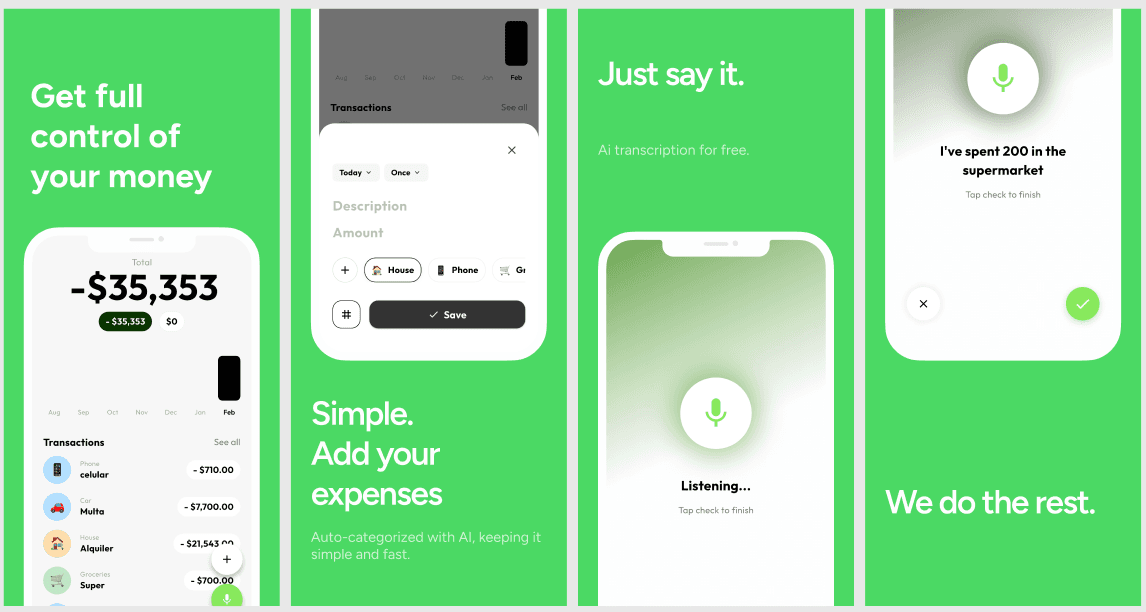
Three steps. That's all.
Just say it
Open Kimmy and tap the microphone. Say something like “I spent 200 at the supermarket” — that’s it.
We do the rest
AI transcribes your voice, identifies the amount, and auto-categorizes the expense. No forms, no dropdowns.
See the full picture
Your dashboard updates in real time. Charts, categories, and totals — everything organized and ready to review.
Kimmy AI
Your finance assistant
Ask about your money. Get real answers.
Kimmy's AI chat understands your spending data. Ask where your money goes, what you can cut back on, or how your habits compare month to month. It's like having a financial advisor in your pocket.
- Understand spending patterns at a glance
- Get personalized saving suggestions
- Compare months to track progress
Start tracking in seconds
Download Kimmy for free. Open the app, speak your expense, and let AI handle the rest. No sign-up forms, no credit card.